 Track Your Order
 0745666333

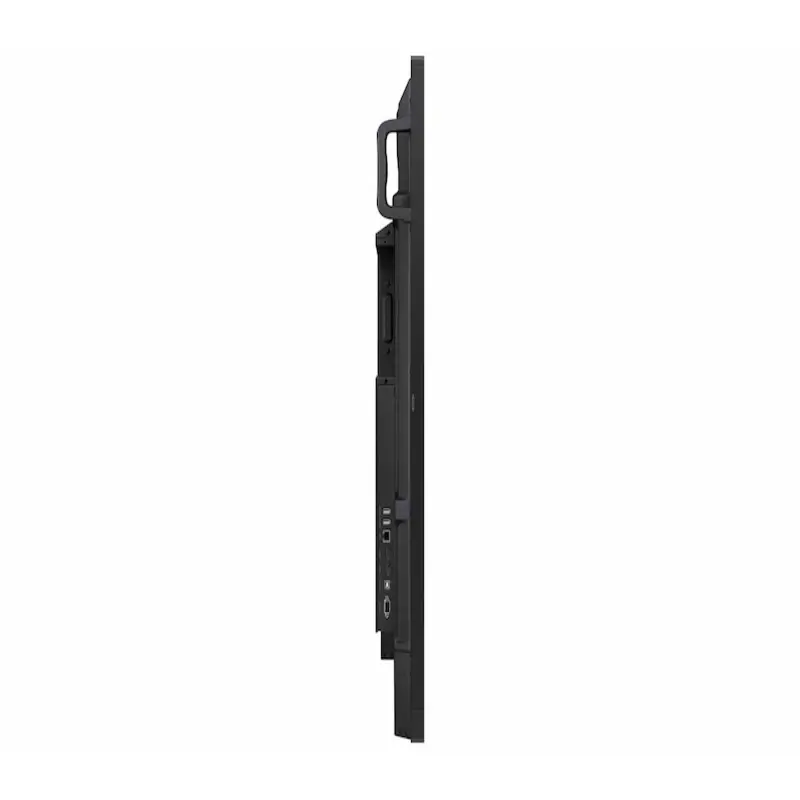
Samsung LH75WAFWLGCXUE Interactive Display 75″ with BOARD-IST0B Mobile Stand

KSh405,000.00KSh450,000.00 (-10%)
- •Samsung’s 75″ Interactive Display WAF series powered by Android™ OS 14 enhances education with its easily-customizable home screen
•Compatible with other Android™ devices, display offers familiarity with standard functions
•EDLA-certified WAF series supports Google Play, YouTube, and other Google services
•OPS slot transforms the display into a Windows device when needed
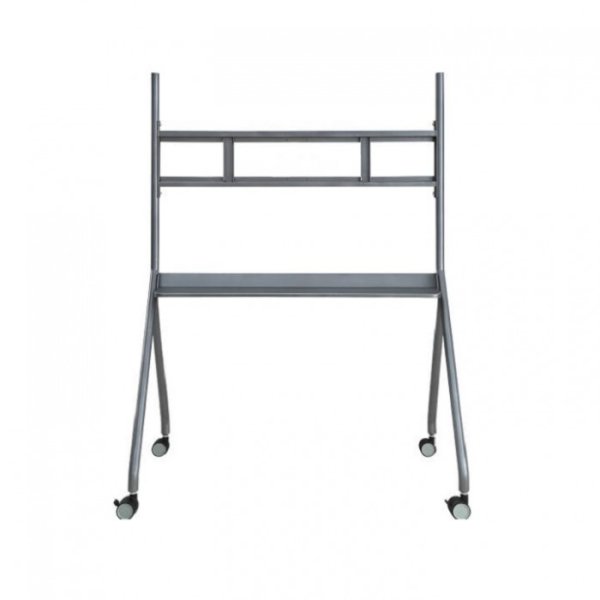
- With its modular design, the mobile stand is both simple and elegant.
It was specially built for use with the Smart Interactive Whiteboard.
Samsung LH75WAFWLGCXUE Interactive Display 75″ with BOARD-IST0B Mobile Stand
Unlimited learning possibilities
The interactive display WAF series, powered by Android™ OS 14 and Octa-Core CPU, enhances education with Google services and a seamless annotation function. Enables instantaneous note-taking, empowering students to collaborate independently in separate zones, ushering in a new era of interactive education.
An intuitive UX that fits your needs
Powered by Android™
The WAF series offers familiarity to its users. Compatible with other Android™ devices, its variety of widgets and easily-customizable home screen provide more flexibility to build an environment suited for various learning needs.
Effortless access to Google services
EDLA Certification
With an EDLA certification, the WAF series supports a variety of Google services like Google Play and YouTube. This access to major educational apps like Google Classroom leads to increased efficiency and enhanced communication with students.
Take notes instantly, anywhere on
the screen
Annotation On
The WAF series lets users take notes any time with a simple press of the always-visible Annotation button. Whether watching a video or viewing any content, users can seamlessly annotate without interruptions, enhancing productivity by avoiding the need to capture images first.
Write independently, learn together
Split Note Mode
The upgraded Note app allows up to four independent note zones on a single page, enabling multiple students to use the whiteboard simultaneously. Students can work in their own zones without affecting others, fostering both collaboration and individual learning.
Display multiple screens simultaneously
Easy Multi-tasking
The split screen and multi-window enable teachers to easily display information and multi-task. This flexibility provides convenient access to all the screens required to create engaging learning environments.
Smart, wireless sharing on
multiple devices
Powerful Screen Sharing
The WAF series supports screen mirroring for up to nine devices, increasing student engagement. This feature ensures every student is included and engaged as content can be shared on both the large display and individual devices. It can be used on iOS, Mac, Windows, Android™, or Chrome OS.
Better interaction with best-in-class
multi-touch
Multi-point Touch Drawing
Multiple users can write and draw on the whiteboard at the same time with the display’s advanced multi-touch capabilities. Up to 40 simultaneous touchpoints are possible, allowing large groups of students and teachers to collaborate and learn together in an efficient, streamlined way.
Switch pens without changing settings
Dual Pen
The dual pen function enables the use of two different writing tools with no downtime. With the double-sided nib applied, users can effortlessly switch between two different colors on the front and back side of the pen – without needing to change the settings or interrupt the flow of the lesson.
Front panel controls for intuitive navigation
Quick Access Controls
The WAF includes front-facing physical controls for quick access to frequently used functions. These intuitive controls allow users to operate the interactive display more efficiently, enhancing the overall user experience.
Connectivity
Convenient connectivity
with USB-C:
3-in-1 USB-C port
Connectivity is enhanced with the 3-in-1 USB-C port, enabling screen mirroring, touch control and external device charging (max. 65W). Teachers can simply connect to the USB Type-C port, allowing them to deliver interactive and engaging lessons without any hassle.
Accessible content for any class size:
HDMI out
With the HDMI Out function, whiteboard screen content can be shared on a different and larger screen in the classroom. This feature ensures teachers can provide a real-time, interactive experience for students who can easily view the screen content regardless of where they sit in the classroom.
Use your favorite OPS in the classroom:
OPS (Open Pluggable Specification)
The OPS slot in the WAF series can transform the interactive display into a Windows device, eliminating the need for an extra PC or devices. Users will have access to all the features and functionalities of a standard computer, with which they are familiar, directly on the display.
Seamless management, efficient operations:
Device Management Solution*
The WAF series provides a device management solution* essential for advanced educational environments. This solution optimizes the remote management of whiteboard settings and applications, guaranteeing operational efficiency and stability.
Notify across multiple devices, immediately:
Advanced Messaging
Send important messages across campuses, classrooms and public spaces immediately. Urgent communications are displayed on interactive whiteboards so students and other personnel are alerted in real time.
Seamless learning in every environment
Superior Durability
The WAF series protects against electrical surges by using a glass fuse and 500V(DC) capacitor that absorbs instant spikes in voltage. The anti-humidity glue applied to the critical area of the chipset is a valuable tool for schools in highly humid or rainy climates.
Whiteboard Mobile Stand – Board-IST0B
The DeepHub supports wireless projection from laptop, tablet, mobile phone, etc. regardless of the OS. It allows wireless projection from up to 9 terminals simultaneously, which helps ease the setup process and eliminates messy cables in the meeting room. It also adopts a 4K UHD Direct View LED (DLED) display with anti-glare technology, making projection as clear as watching an HD TV, and remarkably improving meeting experience and efficiency.
This device is equipped with Zero Air Gap technology which removes the air between the touch panel and the LCD module to reduce reflections and improve readability. It supports tilt sensitivity writing with time delay of only <35ms, providing a fluid writing experience similar to writing on a paper. It offers multiple intelligent writing modes and allows simultaneous writing of up to 20 points on the screen. These features are perfect for brainstorming where several members of the team can share and write ideas on the whiteboard at the same time.
Moreover, this intelligent whiteboard also offers writing tools including pen, eraser, and shapes. The size of a figure can be adjusted via two-finger pinch gesture, and the output can also be dragged and moved around the screen. In case you need extra space or pages, the DeepHub supports page size expansion and inserting additional pages. After the meeting, all the files can be shared by simply scanning a QR code or via email.
Notably, the DeepHub offers life-like face-to-face communication experience, allowing meeting participants to remotely interact and share content with each other. This interactive whiteboard has an optional detachable PC module with Windows OS that supports mainstream third-party video conferencing software. Its LPH-C models are equipped with built-in 4K camera with up to 104° FOV (H) and lens distortion of <5%, capturing vivid details and delivering high quality videos even in a relatively large meeting room. It also has built-in loudspeaker and mic array that can cover an omnidirectional radius of up to 8 meters.
Smart Interactive Whiteboard (with Mobile Stand)
In case of power interruption, its power protection module guarantees continuous power supply to prevent data loss. It also supports fingerprint lock – a security feature that some IFPDs in the market don’t have. It ensures that only authorized users can log in to the device, which helps secure internal information and conferencing content. Its file sharing also has encryption function to secure information exchange.
Packed with more functionalities that meet the various needs of users, the Smart Interactive Whiteboard transforms video conferencing to the next level. It solves the common issues of traditional conferencing method by utilizing strength in innovation and technology, making it a significantly better alternative to the outdated and inconvenient whiteboard-projector setup. With its mission of “Enabling a safer society and smarter living”, Technology will continue to focus on “Innovation, Quality and Service” to serve its partners and customers around the world.


Reviews
There are no reviews yet.